RFEF QR Sharing
Create one link for your selected tickets. The tickets stay in your RFEF account. To send them to another account, use RFEF Ticket Transfer.
1. Connect and refresh your account
- Open Accounts & Proxies → Link Accounts → RFEF Tickets.
- Enter your RFEF email and password, choose a working proxy group, and click Login.
- Open My Tickets → Refresh → RFEF and select your account.
Refresh imports current, past and sent tickets. Use Past Events or All Events to find older matches. Sent tickets remain visible with their transfer status. If a previously sent ticket returns to your account, the owned ticket takes precedence over its sent history.
2. Create the link
- Open the match in My Tickets.
- Select one or several tickets for the same event.
- Click Actions → Share.
- Choose Link expiration. No Expiration keeps the link available until you remove it.
- Click Create Share Link, then Copy Link. Enter your Tikey Master Password if asked.
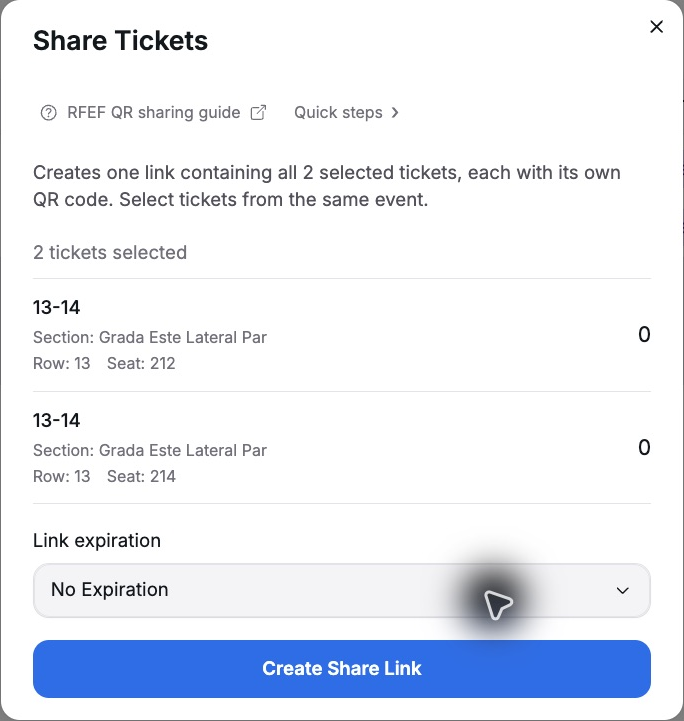
Tikey creates one link containing all selected tickets, with a separate QR for each seat. Sharing keeps the tickets in your RFEF account. Anyone with the URL can view the included QR codes; send it privately.
Open and manage the link
- Open the link once and check the event and every selected seat.
- Swipe or tap the dots above the ticket to switch seats. The counter shows your position in the selection.
- The page includes the saved venue and entry details when RFEF provides them.
- The QR is static: the page animation does not rotate the barcode or refresh it from RFEF.
- Open Inventory → My Links → RFEF Tickets to copy, open or delete the link. Deleting a grouped link removes access to all its tickets.
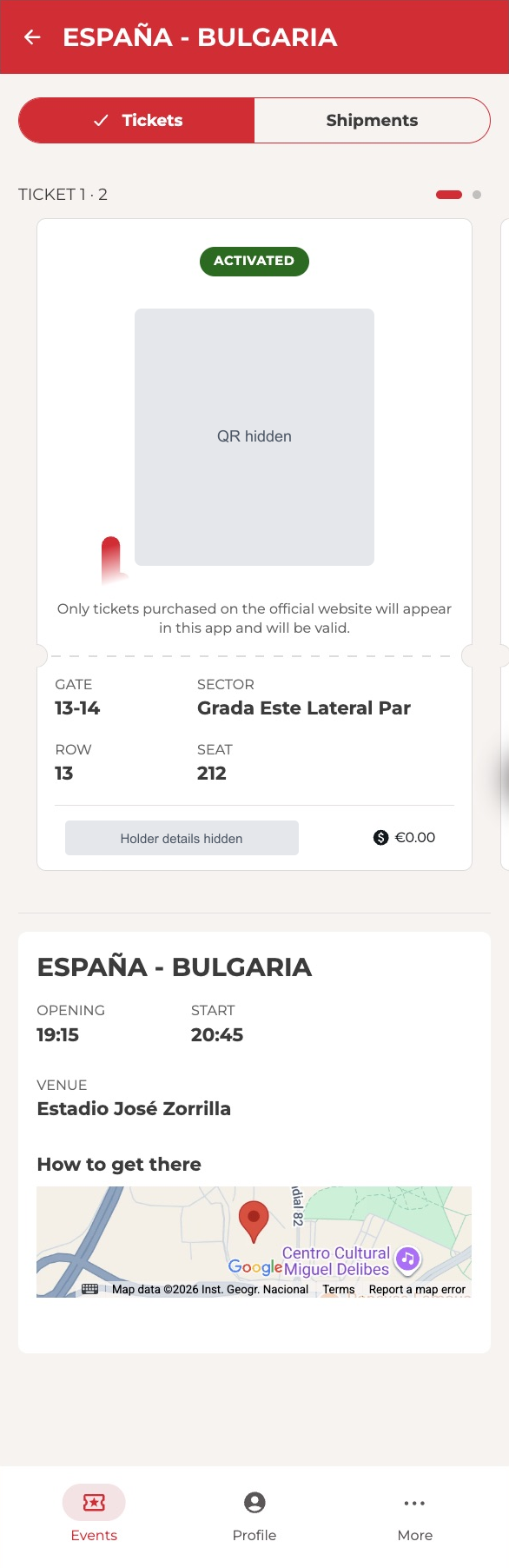
Existing links keep a saved copy of their ticket details and QR. A refresh does not update that copy, and a ticket becoming unavailable does not necessarily remove its link. Manage access in My Links; delete and recreate a link to replace its saved details or expiration.
If a ticket already has an active share, use that link or delete it before creating another. If no QR is available, activate the ticket in the RFEF app and refresh the account before sharing.