How to Transfer Ticketmaster Tickets
1. Transfer
- In My Tickets, select tickets from the same account and order.
- Click Actions → Transfer.
- Enter the recipient's name and Ticketmaster email before requesting verification.
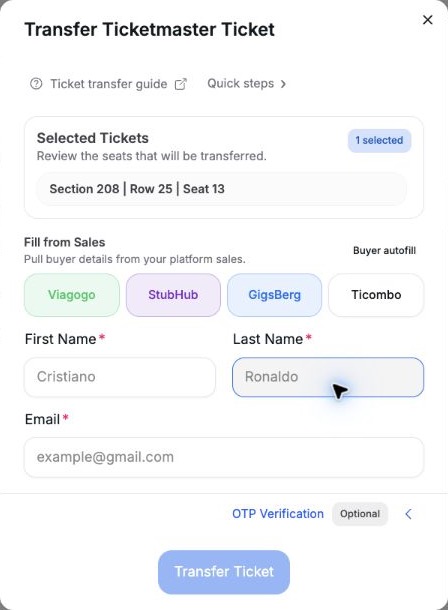
- Seats
Check the selected tickets.
- Recipient
Check the name and email.
2. Verify
Expand OTP Verification. With Saved Active, read the ? notice and click Transfer Ticket. Otherwise, disable saved verification and follow these steps:
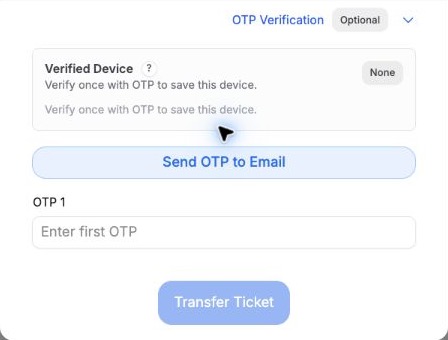
- Send OTP to Email
Get the code from the sending account's inbox.
- OTP 1
Enter the latest code, then click Transfer Ticket once.
If the recipient or seats change, request a fresh code.
3. Save evidence
Select the ticket → Actions → Transfer proof → check recipient and status → Create PNG / JPEG. Proof guide.
Pending means waiting. Only the provider's Accepted / Claimed status confirms acceptance; Tikey's Transferred label alone does not.
If the result is unclear, check Ticketmaster before sending again.
Regional options
UK
An option without OTP exists. Disable saved verification and submit without requesting a code. If it fails, use OTP.
Singapore
After sending, Copy transfer details and send the code to the recipient. Check the transfer deadline.