🔗 How to Transfer Fnac Tickets
Tikey can create Fnac Spectacles claim links for eligible tickets. Send the link to the recipient so they can claim the ticket—no recipient name or email address is required.
- Fnac creates one claim link per ticket.
- Fnac and the event organizer decide whether a ticket is transferable.
- Ticket status updates in Tikey only after you refresh the Fnac account.
1. Generate the transfer link
- Open My Tickets and select the transferable Fnac ticket or tickets.
- Click Actions, then open Fnac transfer links.
- Click Generate links.
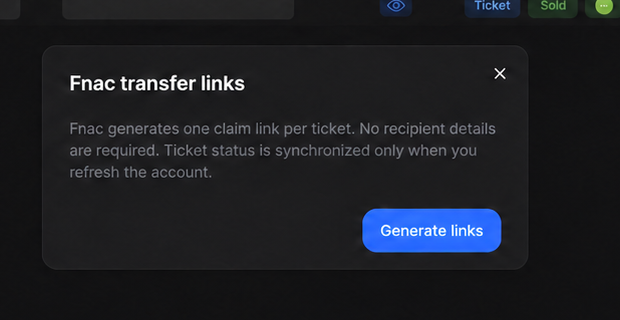
If you selected several tickets, Fnac creates a separate claim link for each one.
2. Copy and send each link
Click Copy link, then send the claim link privately to its intended recipient. Use Refresh links if a newly generated link does not appear in the window.
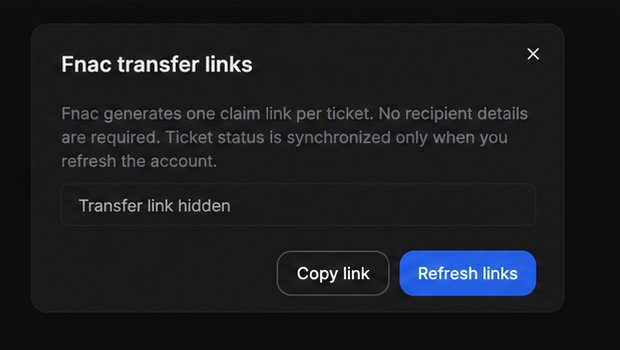
Anyone with the link may be able to claim the ticket. Do not post it publicly or include a live link in a screenshot.
3. Refresh the ticket status
After the recipient claims the ticket:
- Click Refresh in My Tickets.
- Open Eventim.
- Refresh the FNAC - account email account.
Fnac accounts appear under Eventim in Tikey. Refresh links only reloads the links in the transfer window; refreshing the Fnac account synchronizes the ticket status.
4. Cancel an active transfer
- Select the ticket and choose Actions → Cancel Fnac transfer.
- Confirm with Cancel transfer. This disables the active claim link.
- Refresh the Fnac account to synchronize the ticket status.
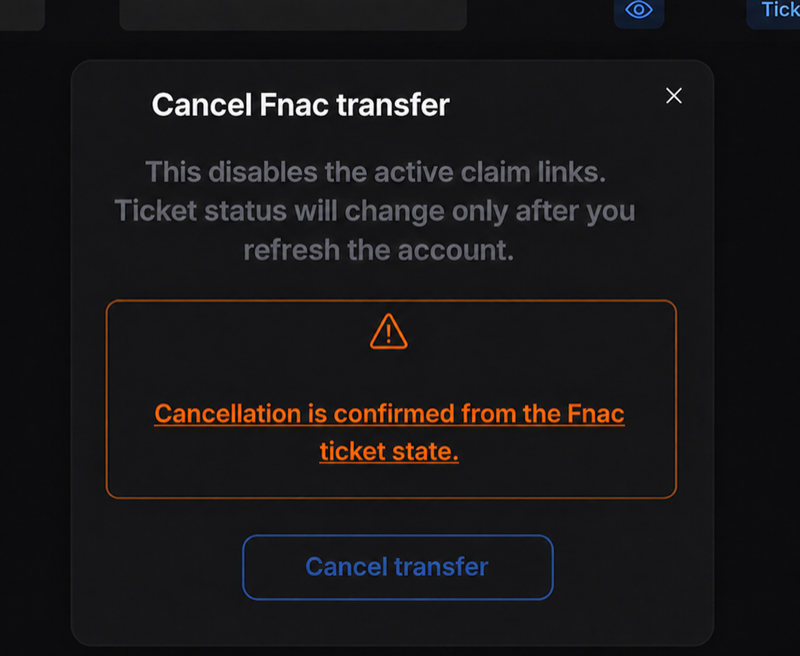
Fnac is the source of truth for the cancellation. Wait until the refreshed ticket state confirms it before creating another link.
Troubleshooting
The Fnac transfer action is missing or disabled
Fnac or the event organizer has not enabled transfer for that ticket. Availability may open close to the event, sometimes only on the event day. Tikey cannot activate or bypass it; refresh the Fnac account again later.
The recipient claimed the ticket, but its status did not change
Refresh the Fnac account from My Tickets → Refresh → Eventim.
I only need to share the QR code
Use Fnac Ticket Vault and QR Sharing. QR sharing gives access to the barcode without transferring the ticket.