How to Resell Tickets at Face Value on TM Resale
This guide explains how to resell your Ticketmaster tickets at face value using Tikey Manager.
info
This feature is only available for Ticketmaster tickets.
Step 1: Select Your Tickets
- Navigate to My Tickets section
- Select tickets from the same order that you want to resell
- Click on the Options button
- Select Resell Tickets at Face Value
Step 2: Review Price Range
After clicking the resell option, you'll see a page indicating:
- Maximum price you can resell for
- Minimum price you can resell for
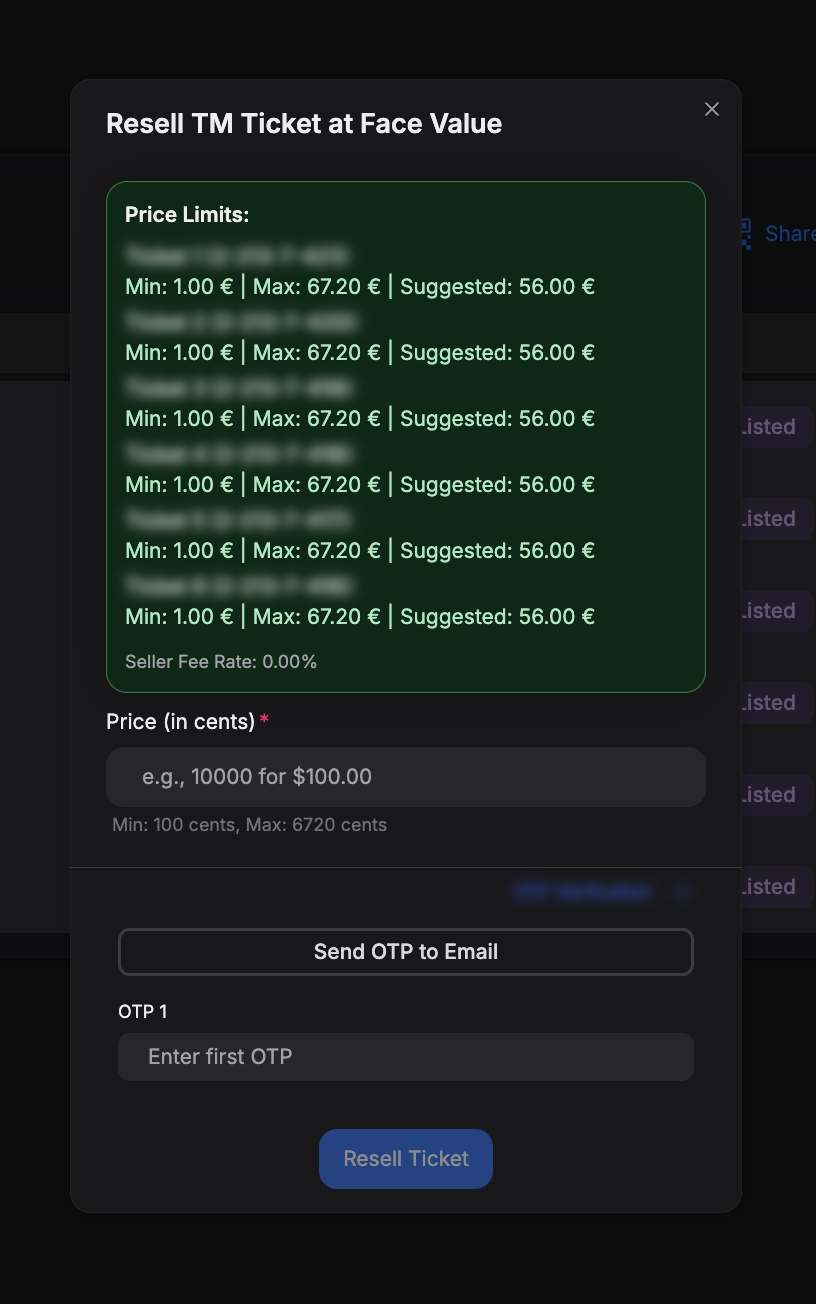
Step 3: OTP Verification
The system will require OTP (One-Time Password) verification, using the same system as when transferring tickets. Make sure you have access to your authentication method.
Step 4: Input Price
Enter your desired resale price in cents as advised on the screen.
Example
If you want to sell for $50.00, enter 5000 (in cents)
Step 5: Get Your Resale Link
Once the process is successful, you'll receive a resale link in the output box.
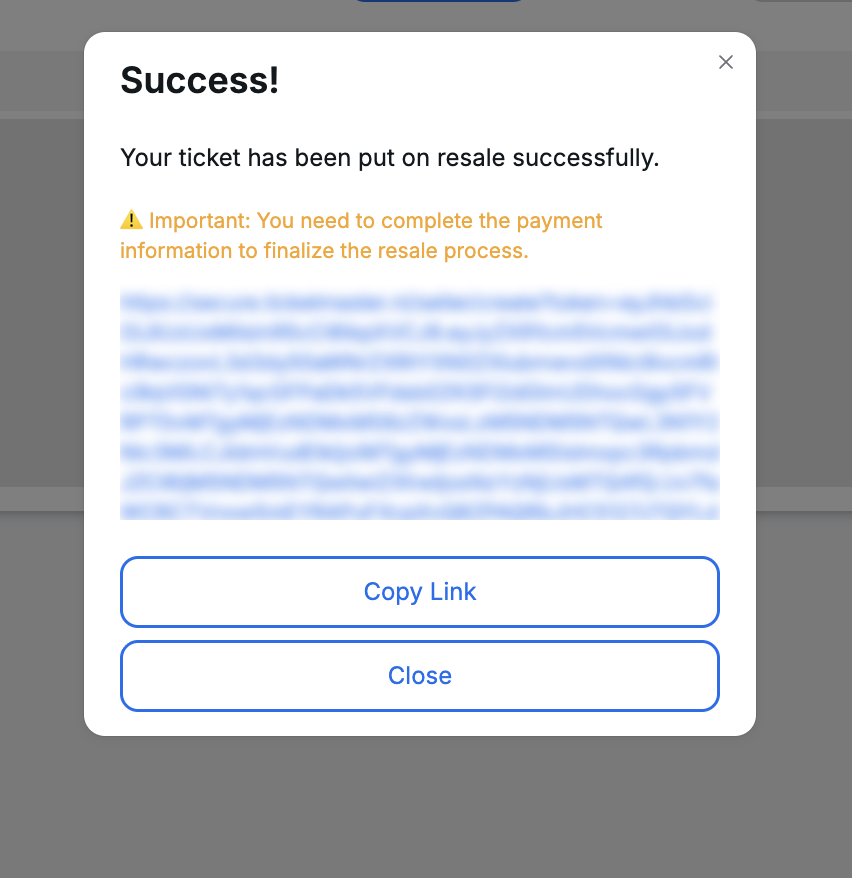
Step 6: Finalize on Ticketmaster
- Copy the link from the output box
- Open the link in your browser
- Log in using your Ticketmaster account
- Modify payment methods if needed
- Verify all details
- Validate the listing
Success!
Congratulations! Your tickets are now listed on Ticketmaster Resale at face value. Good luck with your sale! 🎫
Need help? Join our Discord community for support.