Associate a reseller listing
An existing Viagogo, StubHub, Ticombo, or GigsBerg listing already imported into My Listings.
Association links that listing to Tikey Manager tickets. It does not create or change the real marketplace listing.
You start the association from My Tickets—not from My Listings.
My Listings
  ↓ Refresh the marketplace account
The listing appears

My Tickets
  ↓ Select the tickets
  ↓ Actions > Associate listing
Choose the imported listing
  ↓ Associate
Tickets are linked
  ↓ Refresh My Listings later
Listed can become Sold
Link the listing
- Open Inventory → My Listings.
- Click the marketplace, then the correct account email to refresh that account.
- Confirm that the exact listing appears.
- Return to My Tickets, open the event, and select the correct tickets.
- Click Actions → Associate listing → Connected platform.
- Choose the marketplace and exact listing, recheck the ticket count, then click Associate.
Matching listings share the selected tickets' marketplace event ID. Use another listing—or Associate Anyway—only when you are certain it is correct.
The connected marketplace card now shows the correct number of linked tickets. The external listing is unchanged.
Refresh its status later
When the listing may have sold:
- Open My Listings.
- Click its marketplace, then its account email.
- Wait for the refresh, then reload the ticket view.
If the marketplace explicitly returns Sold, Sold out, Sale completed, or 0 remaining, Tikey Manager can mark the linked tickets Sold and update Finance.
A disappeared listing or a smaller non-zero quantity is not proof of a sale. Tikey Manager does not guess which tickets sold.
Quick fixes
- Wrong link: use Unlink [Marketplace]. This detaches that marketplace's connected records from the selected tickets and removes its connected sales from Tikey Manager and Finance. Nothing changes on the marketplace. A reseller refresh does not relink it; associate it again if needed.
- Missing price: use Set price or Edit price for Tikey Manager and Finance.
- Cannot find the listing: refresh the correct My Listings account, wait, and reload the page. If it is still missing, repeat the refresh once and check the account and filters. Create a manual record only when you are sure the listing was not imported, otherwise it may later appear twice.
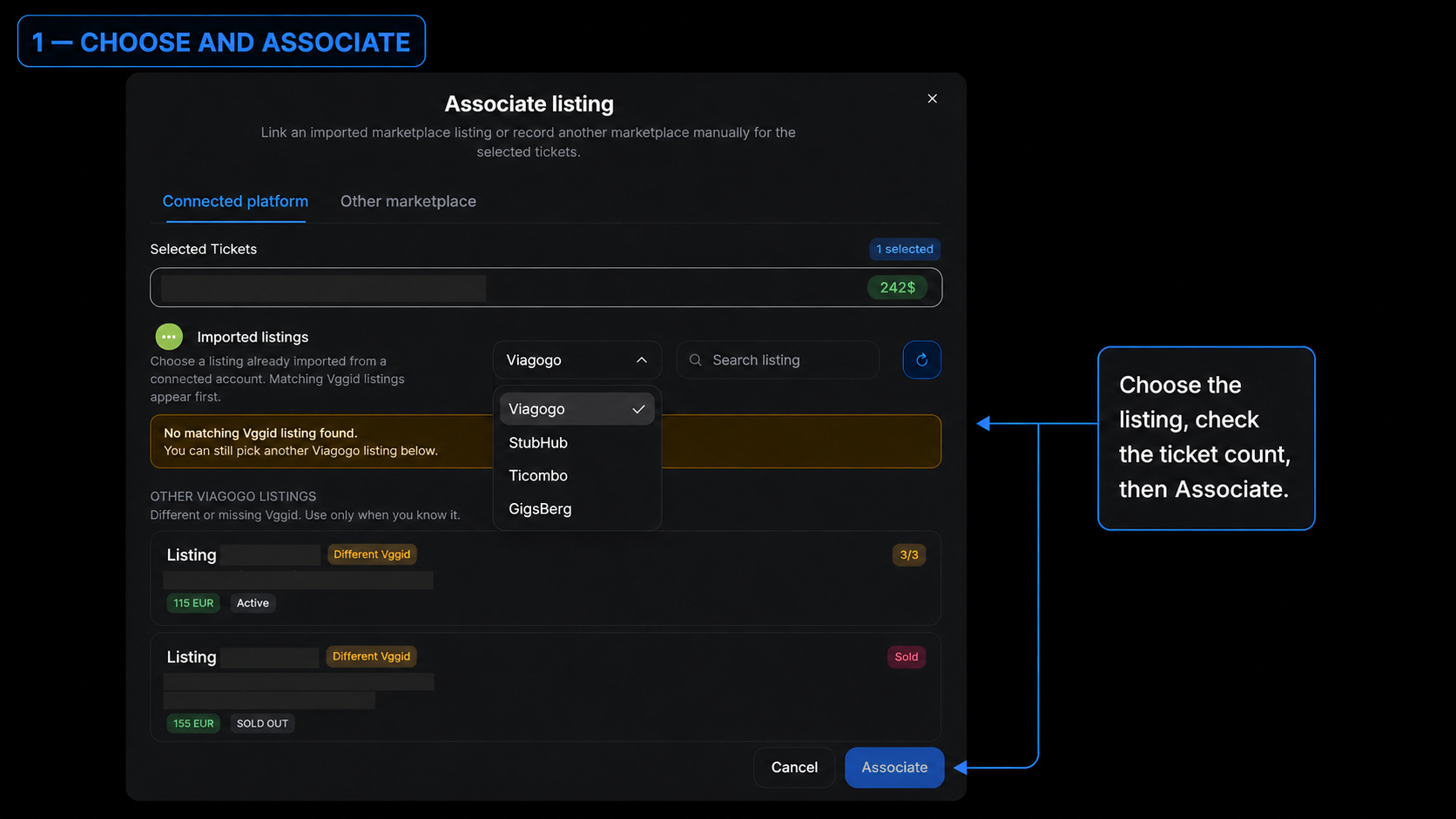
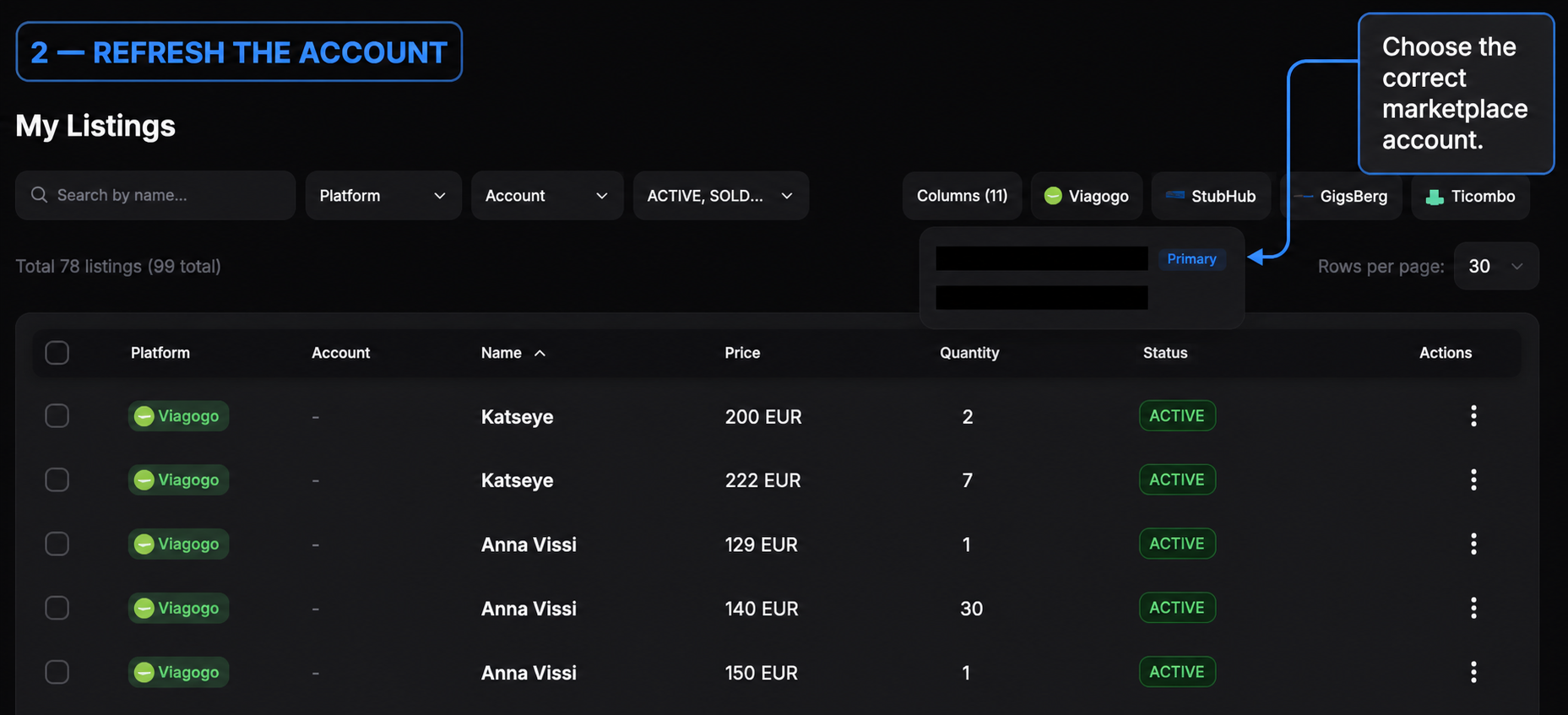
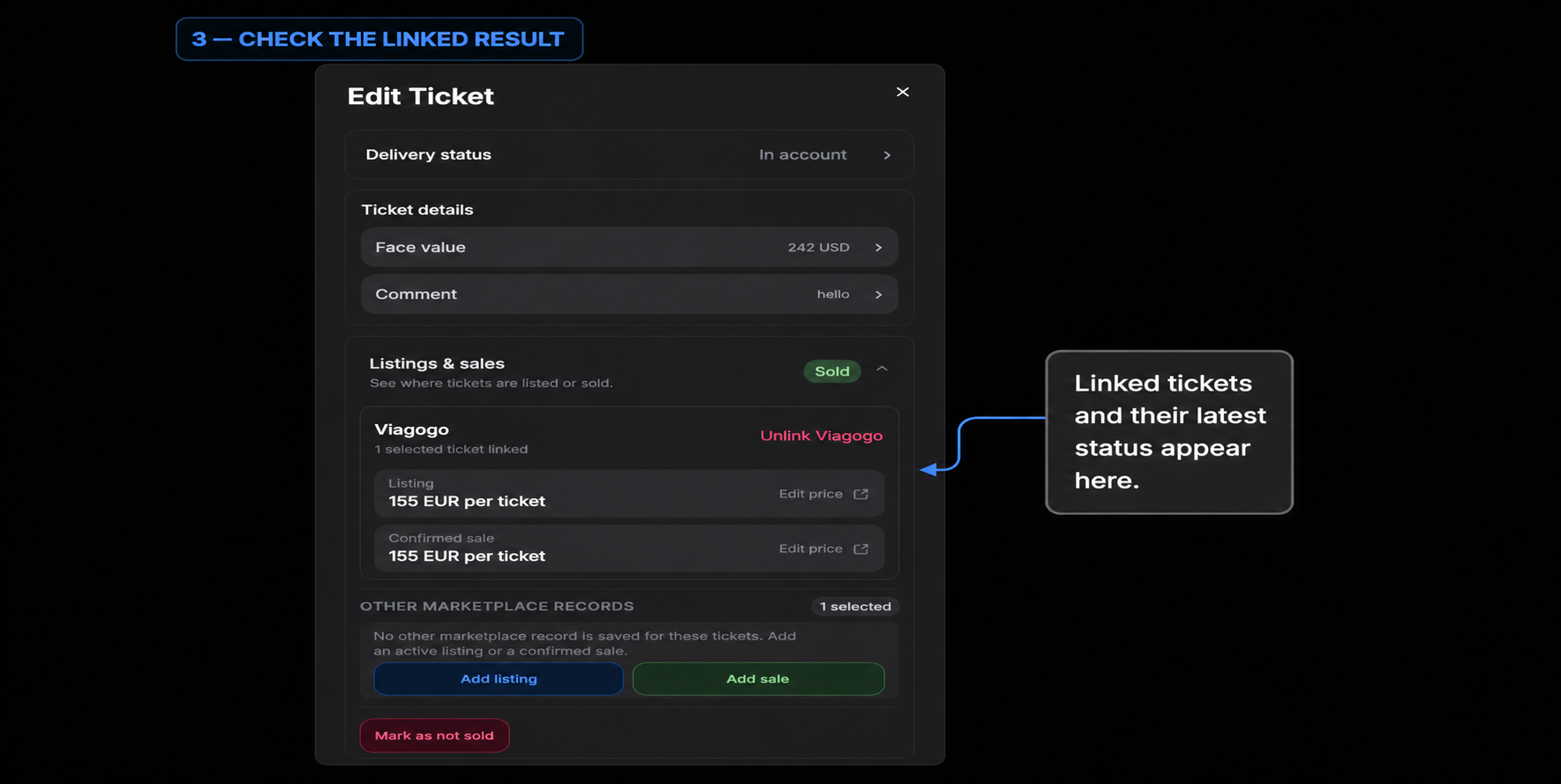
Associate from My Tickets, refresh the account in My Listings, then check the linked result.