Add a manual listing or sale
You enter and maintain this information yourself. It appears in Tikey Manager and Finance but is never sent to—or refreshed from—the marketplace.
Choose the action
Advertised, not sold
  └─ Add listing

Saved manual listing sold
  └─ Mark sold

Already sold, no saved listing
  └─ Add sale

Same real sale already on a connected card
  └─ Do not duplicate it manually

Different sale on another marketplace
  └─ Add sale
Add a listing
- Select the tickets in My Tickets.
- Open Actions → Edit → Listings & sales → Add listing.
- Keep Other marketplace and Listed selected.
- Enter the marketplace and optional listing reference. Price and currency are optional together; if you enter a price, choose its currency.
- Check the ticket count and save once.
The card appears under Other marketplace records. When it sells, click Mark sold. The listing price is prefilled; replace it if the actual sale price differs.
Record a sale directly
- Select the sold tickets.
- Open Actions → Edit → Listings & sales → Add sale.
- Keep Other marketplace and Sold selected.
- Enter marketplace, actual sale price per ticket, currency, and optional order ID.
- Check the ticket count and save.
The same window supports connected and manual records. Other marketplace means you are creating a manual record—not associating an imported listing.
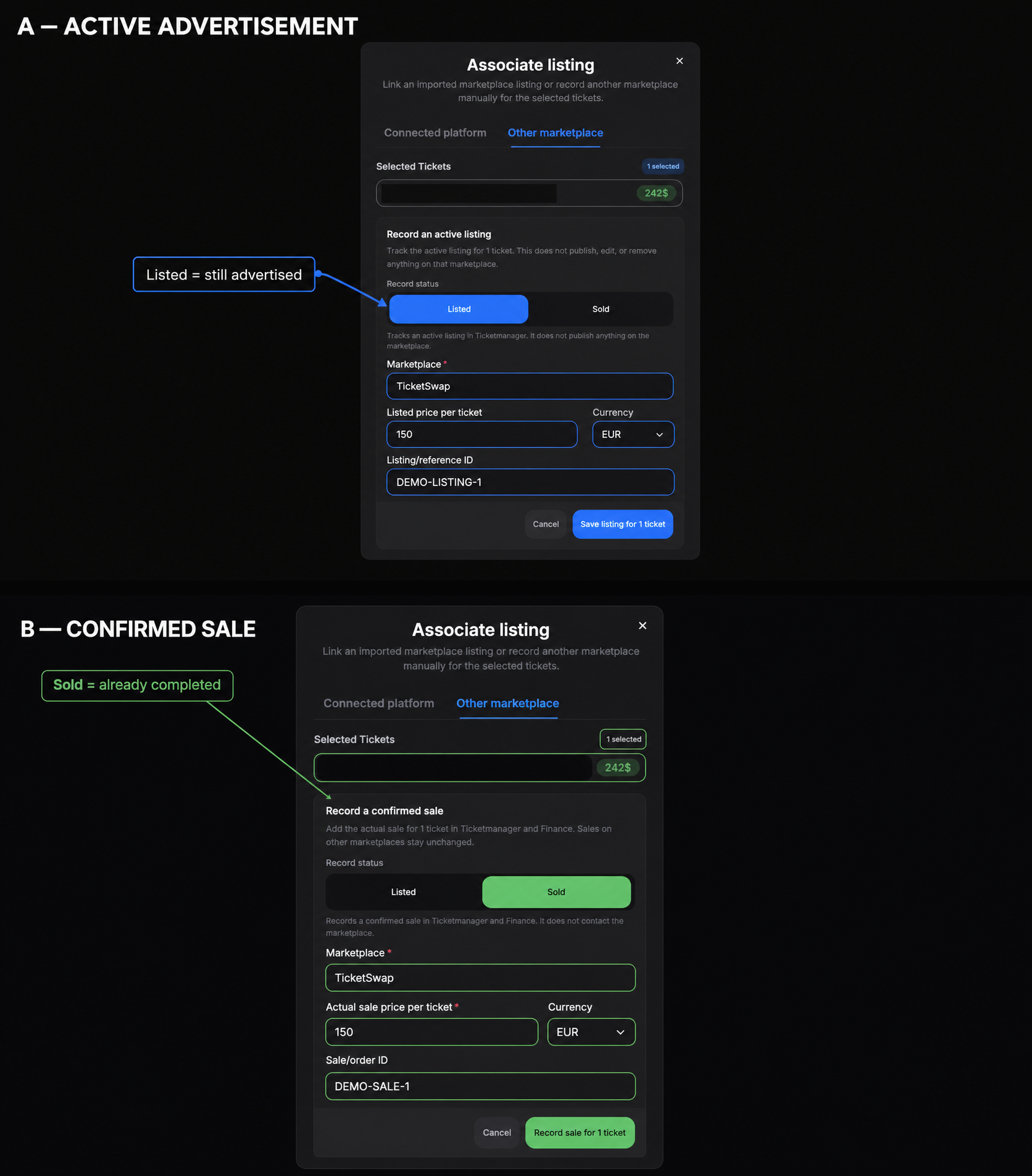
Choose Listed while the tickets are still advertised. Choose Sold only after the sale is confirmed. Prices are entered per ticket.
Multiple sales
- Separate real sales on different marketplaces can coexist on one ticket.
- A second manual sale for the same ticket and marketplace is blocked; edit or remove the existing one.
- For a mixed selection, only Eligible tickets are saved. Skipped tickets stay unchanged.
- A later connected refresh can coexist with a manual fallback for the same marketplace. Remove the fallback only if both cards represent the same real sale.
- Finance uses the highest converted price per ticket, not the sum.
One manual save accepts up to 500 tickets. Split a larger selection and wait for each save to finish.
To edit, undo, or remove a record, open Fix Records and Use Finance.