How to Link Your Whop Account
Linking your Whop account is required to access the Tikey Discord Help Server and to manage your subscription.
Why Link Whop?
- Access to the Discord support server
- Sync your subscription with Tikey
- Reclaim Discord roles if they are lost
How to Link
1. Open Settings
- In Tikey, go to ⚙️ Settings
- Select the Subscription tab
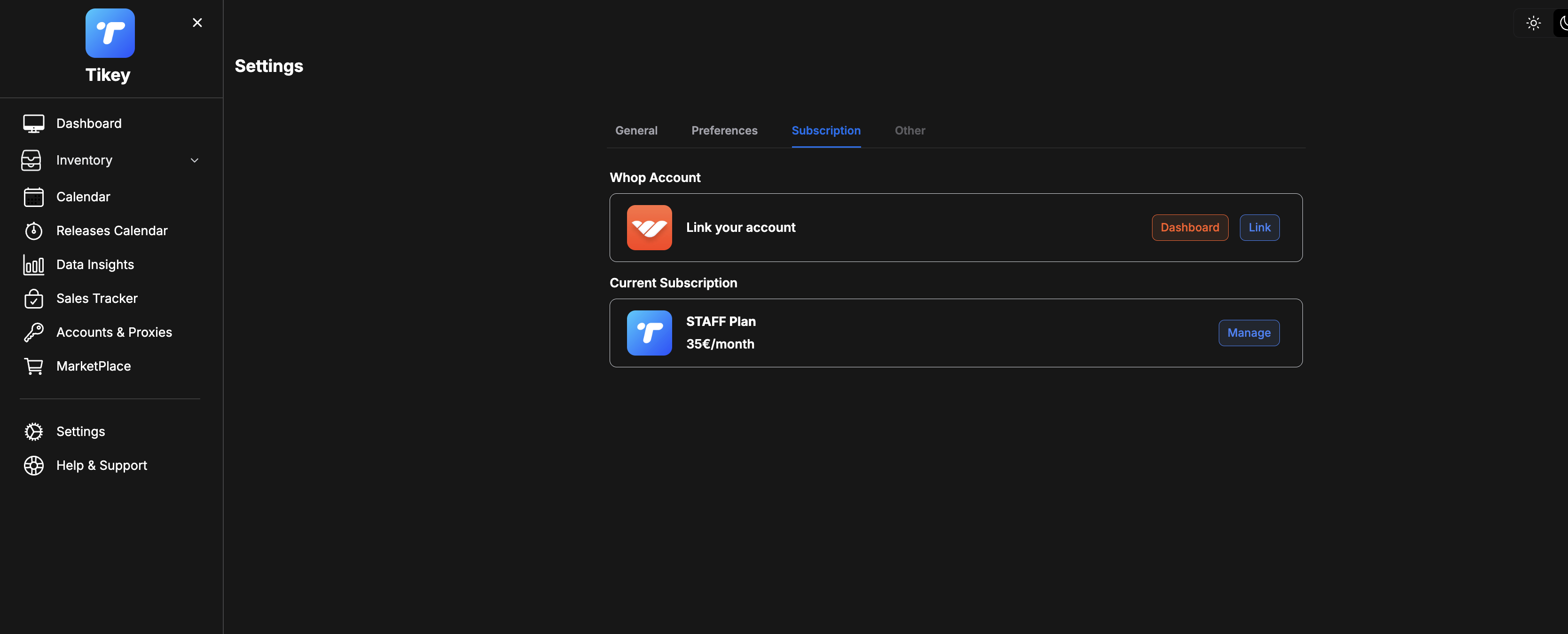
2. Link Account
- Under Whop Account, click
Link - You’ll be redirected to Whop.com
- Log in and approve the connection
3. Discord Access
- Your Discord linked to Whop will automatically join the Tikey help server
- If you’re already in the server, reclaim your roles at Whop.com → My Hub → Claim Roles
Notes
- Keep your Whop account linked to avoid losing access
- Use the same Whop account used for your subscription
- If Discord roles disappear, reclaim them via Whop (no need to contact support)
- Ensure your Discord account is verified
⚠️ Without linking your Whop account, Tikey cannot provide Discord support access.